
Close Menu
Awesome Inventions
    Facebook X (Twitter) Instagram Pinterest
    Facebook X (Twitter) Instagram Pinterest
    Awesome Inventions
    Monday, March 23
    • Arts & Creative
    • Architecture & Design
    • DIY & Gardening
    • Products & Technology
    • Latest Posts
    • More Topics
      • Animals
      • Food & Drink
      • Funny
      • Health & Beauty
      • Parenting
      • People
      • Travel
      • Video
    Awesome Inventions
    Home » Products & Technology » Color-Changing LED Beach Balls For Those Late Night Games
    Products & Technology

    Color-Changing LED Beach Balls For Those Late Night Games

    led beach ball
    Share
    Facebook Twitter Pinterest Tumblr Reddit LinkedIn

    Bring more color and fun to your next pool party or summer gathering at the beach with this color-changing LED beach ball. There’s a lot of things to do at the beach. Most people go there to swim, surf, snorkel and kayak. Others take a trip to the beach to relax and sunbathe. Whether you want to have fun or unwind, the beach is just the place to be.

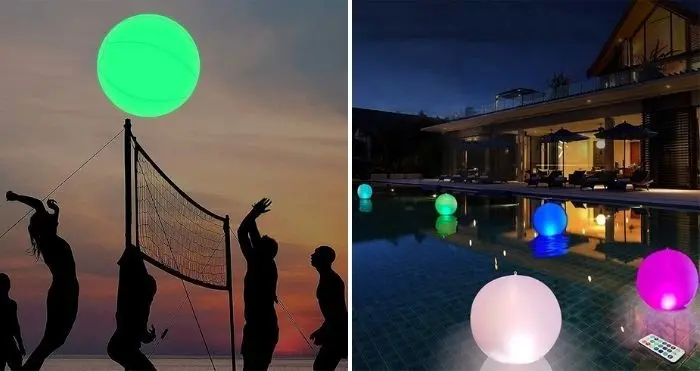
    Take this color-changing ball to the beach and make your summer escapade more enjoyable. If you’re looking for a fun-filled beach party, these glowing balls will perk up any water games. Whether it’s a game of volleyball, toss and catch, dodgeball, kickball or baseball using pool noodles as bats – these inflatable balls are sure to bring more fun into the game. Plus, the light-up feature allows us to keep the fun rolling even in the dark. If you just want to relax and lie under the stars, you can surround yourself with these glowing balls. And feel the serenity of the calm beach with the soft glow of light around you.


    Color-Changing LED Beach Ball

    color-changing led beach ball

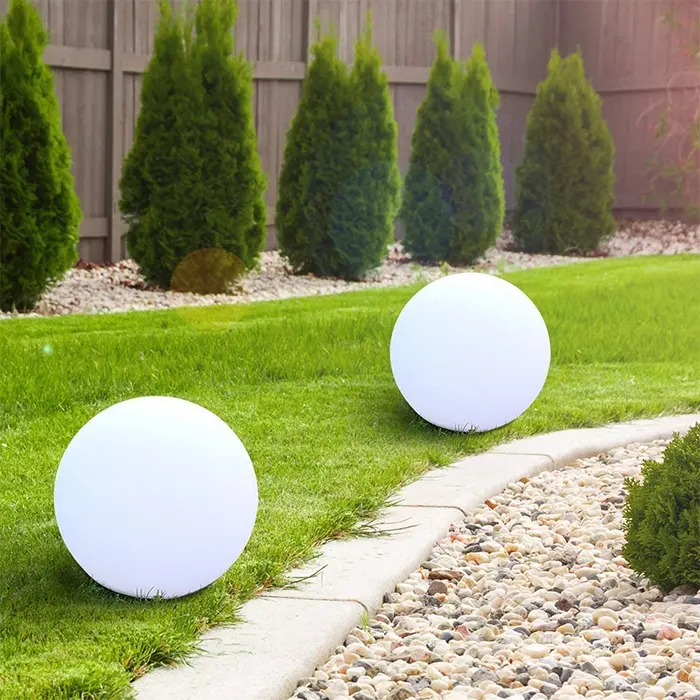
    This inflatable beach ball is made of rubber in a white color. When fully inflated, it measures 16 inches in diameter. It comes with a powerful LED light which is to be placed into the small pocket at the bottom of the ball. The ball also comes with a remote control to let you turn the light on or off. On first use, unscrew the LED light and remove the plastic piece covering the battery. Do the same with the remote control. Inflate the ball then put the light into the designated small pocket, twist clockwise to secure it in place.
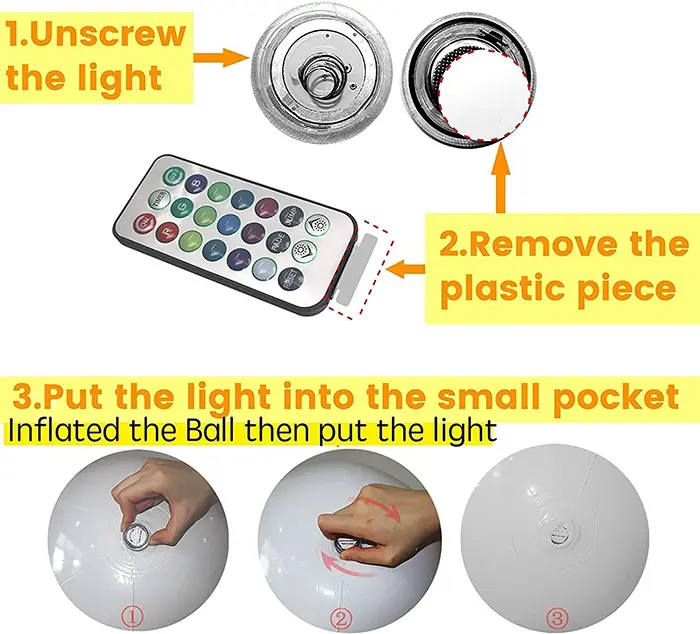
    color-changing led beach ball how to use


    glowing inflatable pool balls

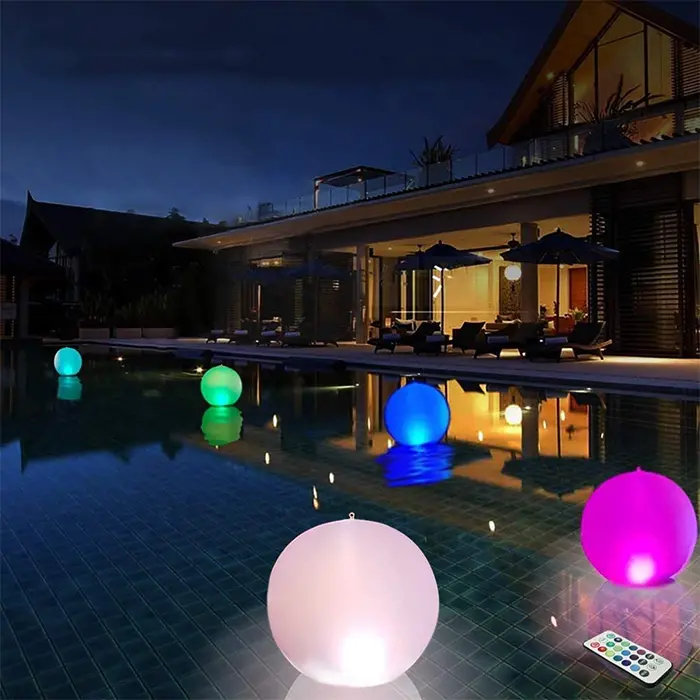
    Use the remote control to turn on the light, change the colors and adjust the brightness level. You can choose up to 13 different colors to jazz up your pool parties and nights at the beach. This color-changing beach ball also makes a charming floating light to adorn your pool with eye-catching glowing décor at night.
    white rubber inflatable balls


    “It’s great to use in a pool and the light last. Also love the remote control!” one happy buyer wrote.

    Get yours here.
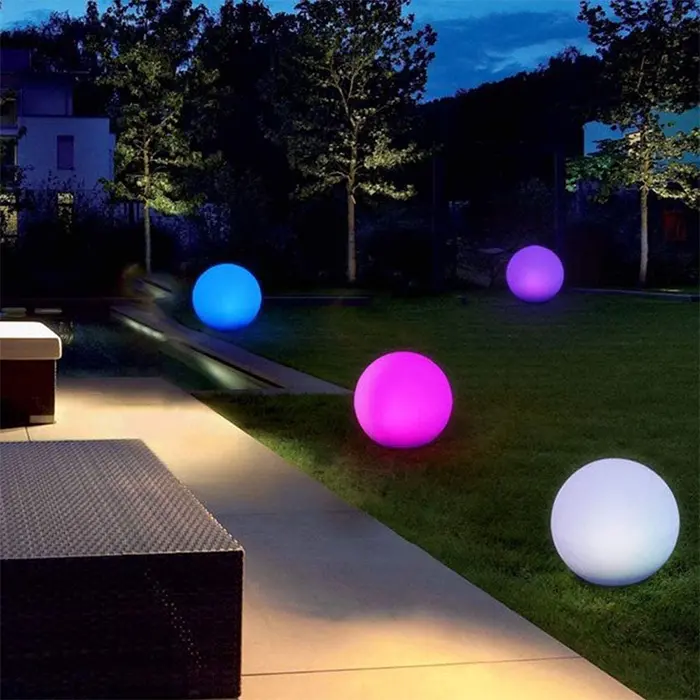
    glowing inflatable rubber balls

    Source: Amazon

    This post may contain affiliate links. Learn more.
    ball beach beach ball led
    Share. Facebook Twitter Pinterest Tumblr Reddit LinkedIn
    Previous ArticleThe Doorballs Door Knocker – “Don’t Knock It Till You’ve Tried It”
    Next Article This Facial Fitness Device Claims To Give You A Younger-Looking Face

    Related Posts

    Artist Anna Chan Gathers Seashells On The Beach To Create Her Animal Portraits

    Skull Light Phone Charger

    This Easy To Setup Baby Pool Beach Tent Lets Your Little One Have Fun In The Shade

    Multi-Colored LED Cube Chairs

    Take Your Sand Castles To The Next Level With This Mold Set

    Who Can Create The Smoothest Ball From Aluminum Foil, Is A Current Trend In Japan

    9 Times When Meteorites Got Too Close For Comfort

    Uncategorized

    Space is awesome, there's no denying that! But, sometimes it can be a little…

    Krispy Kreme Has A Spooky Box Of Halloween Doughnuts

    Food & Drink

    Now that we’re entering into the later half of fall, it’s time to set aside…

    Ben & Jerry’s Cookie Dough Chunks Now Come In Gingerbread & Cinnamon Flavors

    Food & Drink

    The edible cookie dough craze doesn’t seem to be slowing down. In fact, it keeps…

    24 Funny Photos Of People Going Against the Norm

    Funny

    There are certain things that people have adopted a universal way of doing. For example,…

    © All Rights Reserved - Awesome Inventions
    • Awesome Inventions
    • Privacy Policy
    • Cookie Policy
    • FAQ
    • Advertising / Promotions
    • About Us
    • Contact Us

    Type above and press Enter to search. Press Esc to cancel.

    Manage Consent
    To provide the best experiences, we use technologies like cookies to store and/or access device information. Consenting to these technologies will allow us to process data such as browsing behavior or unique IDs on this site. Not consenting or withdrawing consent, may adversely affect certain features and functions.
    Functional Always active
    The technical storage or access is strictly necessary for the legitimate purpose of enabling the use of a specific service explicitly requested by the subscriber or user, or for the sole purpose of carrying out the transmission of a communication over an electronic communications network.
    Preferences
    The technical storage or access is necessary for the legitimate purpose of storing preferences that are not requested by the subscriber or user.
    Statistics
    The technical storage or access that is used exclusively for statistical purposes. The technical storage or access that is used exclusively for anonymous statistical purposes. Without a subpoena, voluntary compliance on the part of your Internet Service Provider, or additional records from a third party, information stored or retrieved for this purpose alone cannot usually be used to identify you.
    Marketing
    The technical storage or access is required to create user profiles to send advertising, or to track the user on a website or across several websites for similar marketing purposes.
    • Manage options
    • Manage services
    • Manage {vendor_count} vendors
    • Read more about these purposes
    View preferences
    • {title}
    • {title}
    • {title}